Your Obsidian vault,
finally tidy.
Rename, merge and delete tags, bulk-edit properties and find & replace across every note. See a preview of every change before it happens, and undo any batch with one click.
Get it free in Obsidian See Pro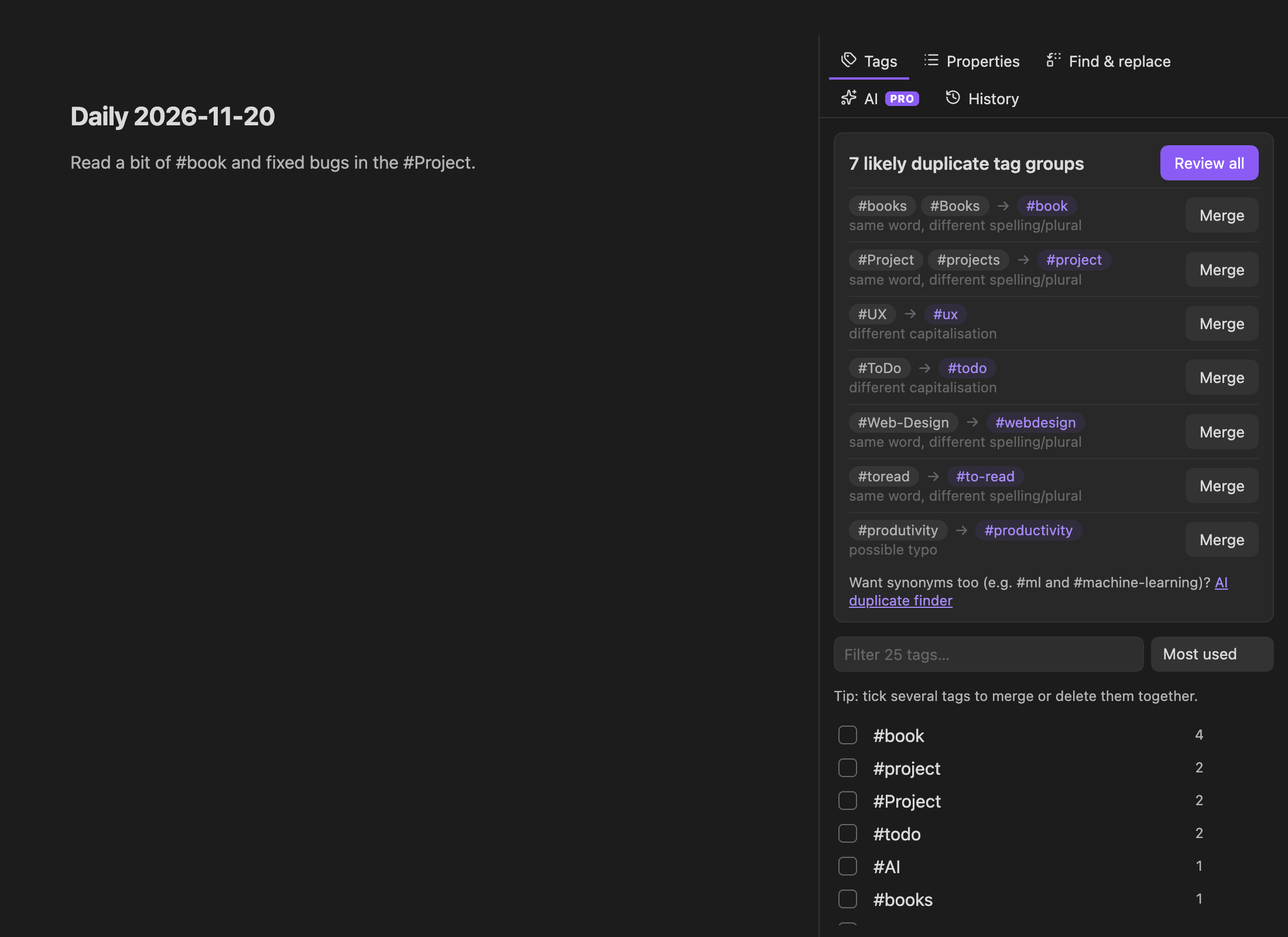
Free forever
Tag manager
Every tag with usage counts. Rename (nested tags follow), merge several into one, or delete. Frontmatter and inline tags, code blocks skipped.
Duplicate finder
Spots #Book vs #books, #to-read vs #toread and typos like #produtivity, then merges them in one go.
Properties
Rename or delete a property across the vault, replace a value, or set a property on every note in a folder. Your YAML formatting is kept.
Find & replace
Plain text or regex with groups, whole word, case and folder scope. Skips code blocks by default.
Preview, then apply
A diff of every affected note. Untick anything you want to keep.
One-click undo
Every batch is saved locally. Undo it from History, even days later.
Vault Tidy Pro
AI that understands what your tags mean. No API key, nothing to set up.
- AI synonym and duplicate tag finder
- Auto-tag untagged notes
- Up to 3 devices
- Save 40% vs monthly
Prices in USD. Taxes may apply depending on your country. 30-day money-back guarantee. Our order process is conducted by our online reseller Paddle.com, the Merchant of Record for all orders.

FAQ
How do I activate Pro?
After checkout your license key appears on the confirmation page. You can recover it anytime on the Support page with your email and order ID. In Obsidian open Settings → Vault Tidy → Enter license key.
What data is sent to the AI?
Only tag names with counts, or the title and first 1,500 characters of the notes you choose to tag. Nothing is stored and nothing is used for training.
Can I cancel?
Yes, anytime from the link in your receipt email. Pro keeps working until the end of the paid period.
Lost your license key?
Recover it here with the email you used at checkout.